

Videos on YouTube, without the Shorts or the ads.
Unshorted is a free, open-source iPhone app for YouTube that keeps the videos and drops the rest. Your subscriptions newest first, search, channels, playlists and your library, with videos in YouTube's own player. No Shorts anywhere, YouTube's ads stripped out, and nothing that plays by itself after a video ends.

Unofficial
Unshorted isn't made or endorsed by YouTube or Google. It talks to YouTube the way youtube.com does, from your phone. YouTube's terms don't allow blocking its ads, and it could limit playback or an account that does. Use it at your own risk.
How it works, in four short videos
Each one shows a part of the app, with captions, in under two minutes. Everything they say is written out on their pages, with more detail.
What's in it
- Home
- What YouTube recommends, as videos only. No Shorts shelf, no ads, no posts.
- Subscriptions
- New videos from the channels you subscribe to, newest first.
- Search
- Videos, channels and playlists, with your recent searches.
- Watch
- YouTube's player on top, the rest native: title, channel and Subscribe, likes, Watch Later, the description with working links, comments, and Up Next.
- Fast
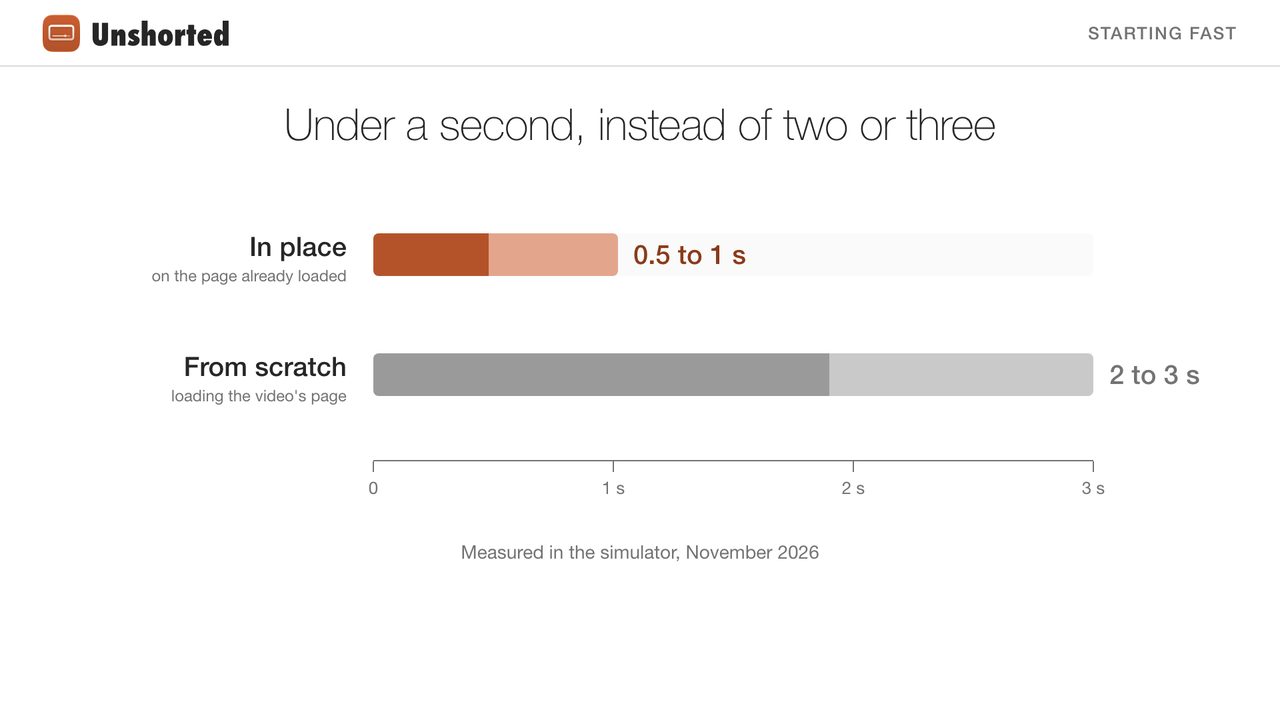
- Videos start in under a second, and where you stopped. Screens open on what the app saved last time.
- No autoplay
- When a video ends, Watch Again shows. What's next is your choice.
- Channels, playlists and You
- Videos, live streams and playlists, with no Shorts tab; history, Watch Later, liked videos, your playlists and channels.
- Hide Videos Under a Minute
- Keeps the short clips YouTube lists as ordinary videos out of Home, Subscriptions, search and Up Next. On at first.
- Background Play
- Keep a video going when you leave its screen, in a mini player, and floating in Picture in Picture over your other apps and the lock screen. When you leave the app, it can pause, float by itself, or keep its sound playing. Off at first.
- Downloads
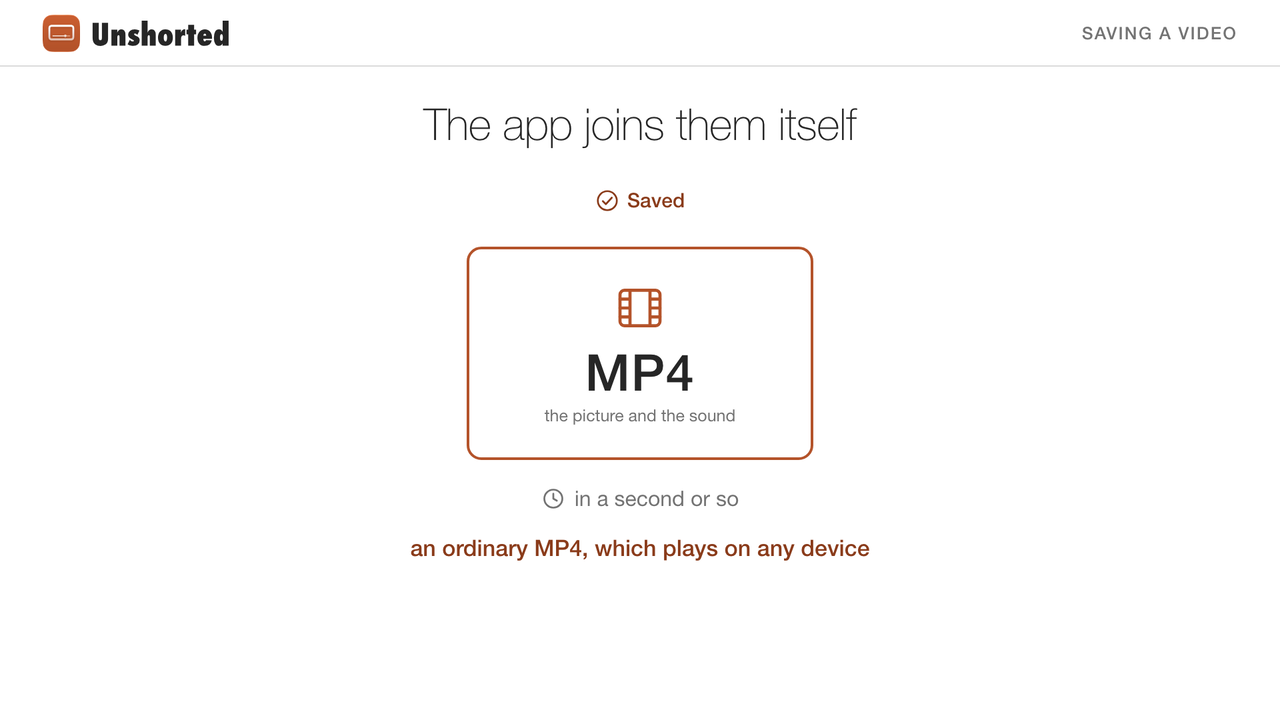
- Save a video on the phone, up to 1080p, or the sound alone, to watch without a connection in Apple's own player.
YouTube works without an account, so signing in is optional: signed out you get search, videos and channels; signing in adds your subscriptions, history, likes and Watch Later.
Install
Unshorted isn't on the App Store. Build it yourself with Xcode, on a Mac. With a free Apple ID, the app has to be reinstalled every 7 days, and you can have only 3 of your own apps on the phone at a time.
- Install Xcode 27 or later, and clone the repository. It's private for now: ask for access first.
- Copy
Config/Local.example.xcconfigtoConfig/Local.xcconfig, and set your team ID and a bundle ID of your own in it. - Run
Python/fetch.shonce. It downloads what downloads run on, about 40 MB, each file checked against its published checksum: Python for iOS, yt-dlp and two small packages it needs. - Open
Unshorted.xcodeproj, pick the Unshorted for iPhone scheme and your iPhone, and press ⌘R. - The first time: turn on Developer Mode on the iPhone (Settings › Privacy & Security, then restart), and trust your Apple ID under Settings › General › VPN & Device Management.
Private
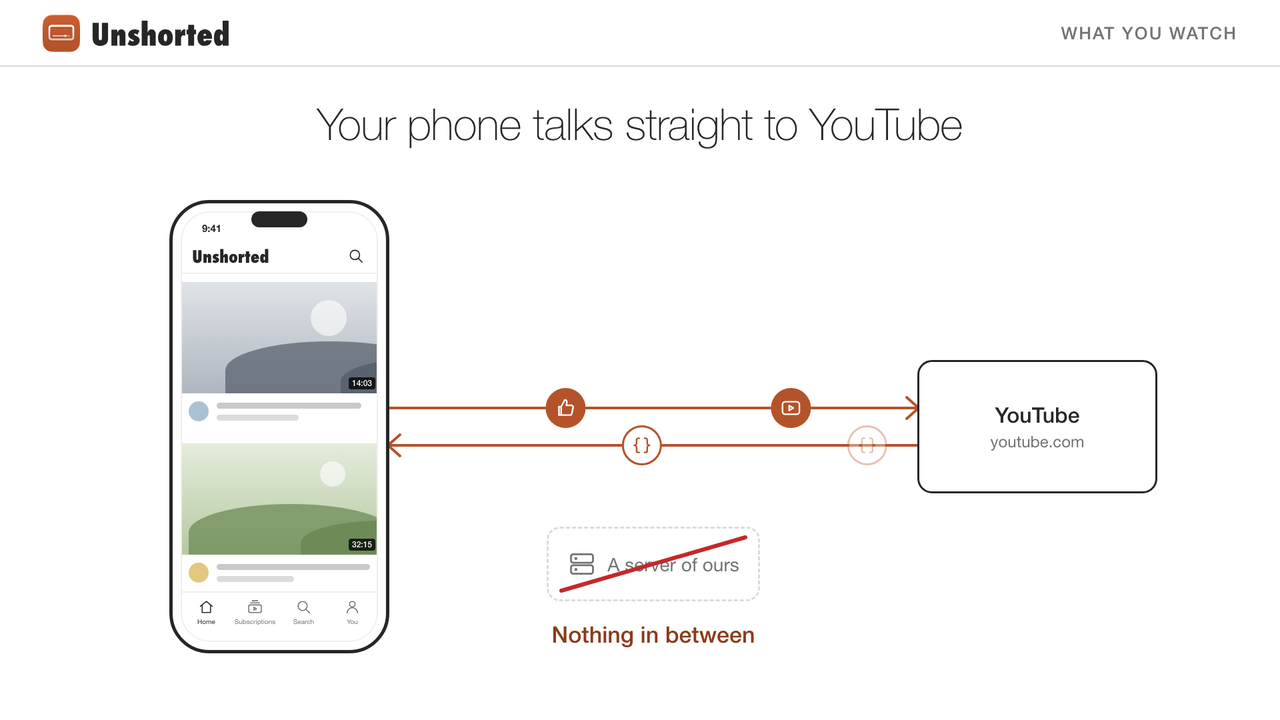
Unshorted collects nothing. You sign in on Google's own page, or not at all, and your account and what you watch go only between your phone and YouTube. There are no analytics, no tracking, and no requests to anything but YouTube and Google. Shorts and ads are left out on the phone, as YouTube's answers arrive.
- How Unshorted keeps your account private, with a video
- Privacy policy
How it works
YouTube's website loads nearly everything from its own API, with a JSON request for each screen. Unshorted sends the same requests, from a hidden web page on www.youtube.com inside the app, so they carry the website's cookies, which never leave your phone. The screens are native. The answers are read by a parser that keeps only videos, channels and playlists: it never looks inside an ad or a Short, wherever YouTube puts them.
Videos play in YouTube's own player, from its mobile website, kept loaded from the moment the app opens, so a video starts in half a second to a second. Before YouTube's scripts run, the app takes the ads out of the player's data, and WebKit refuses requests to Google's ad servers. When YouTube holds a video back because its ad wasn't shown, the player says so.
Not in this version
Picture in Picture carried from one video to the next, notifications, writing comments, replies under comments, creating or editing playlists, choosing which playlist a video goes to (it goes to Watch Later), channel search, Shorts in any form, and community posts.
The code
Unshorted is free software under the GNU General Public License, version 3. Its code, its documentation and this website are on GitHub, in a repository that's private for now. To read the code, or to build the app yourself, ask for access through its author's GitHub profile.
Questions
Could YouTube limit my account?
It could. YouTube's terms don't allow blocking its ads, and it could limit playback or an account that does. Apart from downloads, Unshorted sends only the requests the website itself sends, and nothing automated. Signing in is optional: without an account, you still get search, videos and channels.
Does it remove every ad?
The ads YouTube puts in its lists and in its player, yes. Not the sponsorships creators read out in their own videos, and not ads YouTube stitches into a video's stream itself, which can only be waited out.
Why does a video sometimes wait before it starts?
YouTube can hold a video back for as long as the ad it expected to show would have lasted. When that happens, the player says so, and loads the video another way. More about it.
Do I need YouTube Premium?
No. Unshorted works with or without an account, and with or without Premium.
Why isn't it on the App Store?
App Review requires permission from the services an app uses, and YouTube's terms don't allow blocking its ads.
What does it cost?
Nothing. Unshorted is free software: you can share and change it under the terms of the GNU General Public License, version 3. Its code, its documentation and this website are on GitHub, in a repository that's private for now: ask for access.